
Photo Editor - Polish
InShot Inc.Photography
4.879.70K Reviews
- Version
- 1.811.267
- Installs
- 100.00M
- Age Rating
- Everyone
Screenshots
Our Review of Photo Editor - Polish
 Analysis by Appyee
I reach for AI Photo Editor - Polish when I want to give a phone photo a clearer purpose without turning editing into a project. It is a photography app from InShot Inc., and its current mix of AI tools and familiar adjustments suits quick portraits, social posts, and small creative experiments. I would not treat it as a replacement for a careful desktop workflow, but for everyday edits I like having several useful jobs in one place.
Where the app stands today
The app is free to install and is rated for Everyone. It has a 4.8 average from around 4.6 million ratings, with more than 100 million installs, so it is clearly a familiar choice for mobile photo editing. Those figures suggest broad appeal, though they do not tell me whether a particular AI result will suit my taste; that still depends on the image and how much editing I want to do.
Its current version is 1.722.249, and it was released on April 23, 2018. The version number gives existing users a practical reference point when checking that they have the current build, but it does not, by itself, explain which tools have changed over time. I would rather judge an update by how reliably it handles the edits I actually make than assume that a newer version automatically means a better result.
InShot Inc. positions it as an AI photo editor, but the appeal is not only the AI label. I can move between straightforward image adjustments and more expressive effects, which makes it useful when I have not yet decided whether a photo needs a light touch or a more obvious transformation. That flexibility is more valuable to me than a long menu of tools I would rarely open.
Getting Started with AI Photo Editor - Polish
So, here's the deal. Once you download and open the app, you're greeted with a super intuitive interface. It's sleek, modern, and doesn’t overwhelm you with too many options at once. As someone who isn’t exactly a tech wizard, I appreciated how easy it was to navigate.
The app offers a wide variety of editing tools, from basic adjustments like brightness and contrast to more advanced features like AI-powered effects. The best part? You don’t need to be a pro to get professional-looking results.
Features That Stand Out
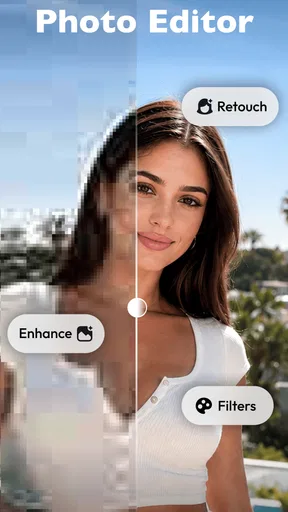
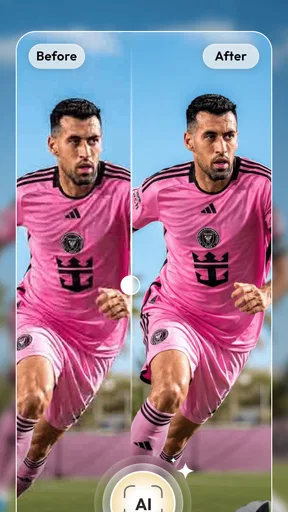
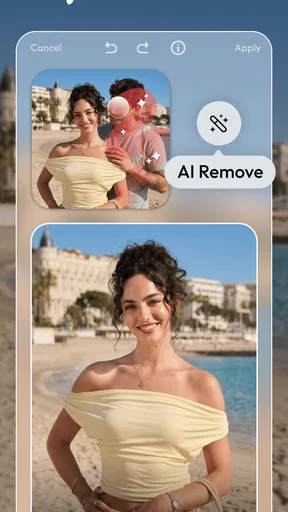
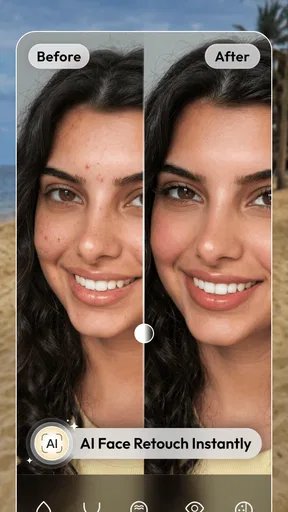
Okay, let’s dive into what makes AI Photo Editor - Polish stand out from the crowd. First off, the AI-powered effects are mind-blowing. Seriously, with just a few taps, you can transform your photos with artistic filters, background changers, and even face retouching.
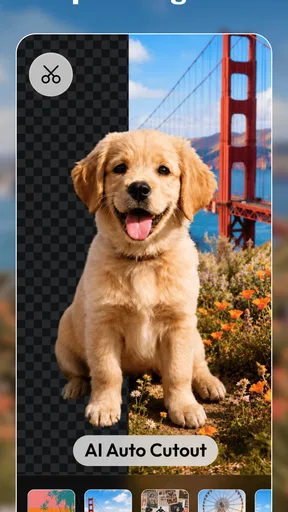
One of my personal favorites is the automatic background removal. It's as if the app knows exactly what I'm thinking. You select your photo, and voilà, the background is gone. Perfect for when you want to superimpose yourself into a completely different setting.
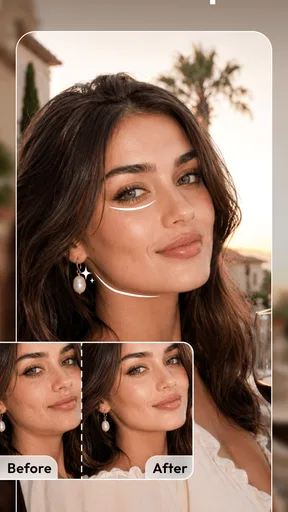
Another feature worth mentioning is the face retouching. It subtly enhances your features without making you look like a different person. It’s like having a personal makeup artist!
My practical tip is to decide what the photo is for before reaching for an effect. A portrait intended for a profile image usually benefits from restrained retouching, while an image made for a playful post can carry a stronger filter. I also check the crop after removing a background: a clean cutout can still look pasted on if the subject’s edges and the new setting do not feel compatible. That small review step often matters more than adding another effect.
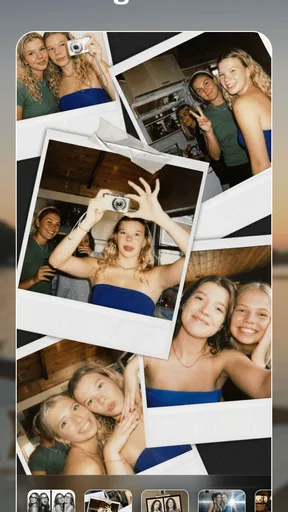
The app’s collage maker and AI art tools give it a different role from a basic correction-only editor. A collage is handy when I want to combine several related snapshots into one shareable image, while AI art is better for experimentation than for faithfully representing a real scene. I would keep an original copy of a photo before making a dramatic change, especially if I might later want a natural-looking version for a family album.
Choosing the right workflow
For a quick portrait, I would start with the original image, make a modest brightness or contrast adjustment, and then try retouching only if the face needs it. I would compare the result with the unedited photo before saving or sharing. This keeps the person recognizable and makes it easier to catch the point where smoothing starts to look artificial. AI effects can speed up the creative part, but they do not remove the need to check the final image.
For a product snapshot or a simple profile cutout, background removal can save time compared with opening a more technical editor and selecting the subject by hand. It is most useful when the subject stands apart clearly from what is behind it. Busy edges, loose hair, or objects that blend into the background are the cases where I would inspect the cutout carefully rather than assume the automatic result is perfect. A quick zoom-in before sharing can reveal rough edges that are easy to miss at thumbnail size.
If I am making a collage, I first choose images that tell one small story instead of trying to fit every photo from an outing into the layout. A few complementary images tend to feel more deliberate than a crowded collection. I would also think about where the collage will be viewed: details that look fine on a large screen may become tiny on a phone feed. That is a useful reason to simplify rather than add more decoration.
There is a trade-off between convenience and fine control. An all-in-one phone editor is attractive when I want to make a usable image quickly, but a dedicated desktop photo editor is a better fit when I need precise selections, careful color work, or a consistent process across many pictures. Compared with simpler phone editors that focus on a small set of manual adjustments, Polish offers a broader creative range; compared with specialist software, that breadth does not necessarily mean deeper control over every detail.
Using AI Photo Editor - Polish in Real Life
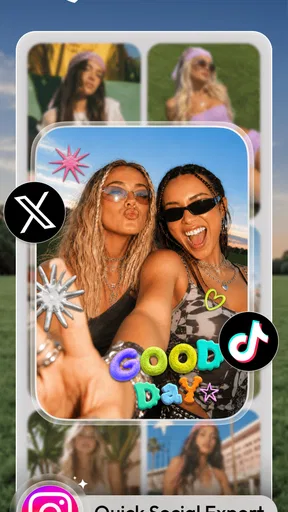
So, how does all this translate to real-world use? Well, I’ve been using the app for everything from Instagram posts to family photo albums. The ease of use combined with the powerful editing tools means I can quickly elevate any photo.
Imagine this: you’re out with friends, capturing memories, and you want to share them instantly. With this app, you can quickly edit on the go, ensuring every post is on point. Plus, the AI filters add a creative touch that makes your photos pop.
A more ordinary example is choosing one photo from a weekend gathering for a group chat. I might brighten a dim face, crop out a distracting edge, and leave the rest alone so the moment still looks like itself. If the same image is going to a public social post, I may try a more distinctive filter, then compare it with the untouched image to make sure the effect supports the mood rather than overpowering it. The advantage is being able to make that choice on the phone instead of postponing the edit until I have access to a computer.
The app is particularly appealing if you enjoy trying visual styles but do not want to learn a complicated editing workflow first. Casual users can start with simple corrections, while people who share portraits or creative posts may get more value from the retouching, background tools, collage maker, and AI art options. If you mostly archive photos and want them to stay close to what you saw, the simpler route may be better: make a few manual adjustments and skip effects that change the image’s character.
One thing I would keep in mind before relying on any AI feature is that speed is not the same as accuracy. A result can look convincing at a glance and still need a closer look around outlines or small details. For a casual post, a minor imperfection may not matter; for an image where the subject or background needs to look exact, I would use an editor that offers more deliberate correction and take the time to inspect the edges.
Cost, access, and everyday fit
The app is free, with in-app purchases ranging from $0.99 to $129.99 per item. That makes it easy to try the basic experience before deciding whether any paid option is worthwhile. I would check the purchase details shown in the app before buying and consider how often I would use the feature; a tool that saves time on occasional edits may not be worth paying for if I only open it once in a while.
It runs on operating systems from version 9 onward. If I were choosing an editor for an older device, I would check compatibility before planning a workflow around it. For everyone else, the more useful question is whether the app’s combination of quick edits and creative options matches their habits. Someone who mainly adjusts exposure may be happier with a simpler editor, while someone who likes switching between portraits, cutouts, and collages has more reasons to keep this one installed.
The large audience and high average rating make it a well-established option, but popularity is not a substitute for personal preference. I would test the same photo with a light correction and a stronger AI effect, then decide which look I would actually share. That gives a better sense of the app’s style than judging it from a single dramatic result.
Why I Keep Coming Back
After using AI Photo Editor - Polish for a while, I can honestly say it’s the simplicity and speed that keeps me coming back. I mean, who has the time to spend hours editing photos? With this app, I can achieve stunning results in minutes.
It also helps that the app is regularly updated with new features, keeping things fresh and exciting. It feels like the developers are genuinely invested in improving the user experience, which is always a plus in my book.
For someone already using the app, I would focus on whether the latest version continues to fit the way they edit rather than chasing every new effect. A good habit is to keep a natural edit and a more creative version separate in your own photo workflow, so a filter experiment does not become the only version you have to share. That matters most for portraits and family pictures, where tastes can change after the excitement of trying a new style wears off.
The main limitation is the same quality that makes the app convenient: its broad, quick approach cannot guarantee the precise results of a specialist tool on every image. AI retouching may not suit people who want untouched portraits, and automated background work is not something I would accept without checking. If exact color matching, detailed compositing, or repeatable professional output is the priority, I would choose a more controlled editor and use Polish for quick ideas instead.
What to expect from the next update
The current version gives users a clear point of reference, while the app’s history and continued updates suggest that it remains actively maintained. I would not assume a particular feature is coming next without seeing it in the app. Instead, I would watch for practical improvements that make edits easier to compare, refine, or revisit, since those are the changes most likely to matter in everyday use.
When deciding whether to keep it, I would ask three simple questions: Do I edit photos on my phone often enough to value speed? Do I enjoy AI-assisted changes, or do I prefer manual control? And do I need a quick all-rounder or a specialist editor? If the first and third answers point toward convenience and variety, Polish is an easy app to try. If exact control or a strictly natural look matters most, another kind of editor may be a better match.
In conclusion, if you're looking for an easy-to-use yet powerful photo editing app, AI Photo Editor - Polish is definitely worth checking out. Whether you're an aspiring influencer or just someone who loves capturing life's moments, this app has something for everyone. Give it a try, and let your creativity shine!
Privacy and Permissions
See what permissions an app requests and how it handles your data.
- Photos/Media/Files
- read the contents of your USB storage, modify or delete the contents of your USB storage
- Storage
- read the contents of your USB storage, modify or delete the contents of your USB storage
- Wi-Fi connection information
- view Wi-Fi connections
- Other
- view network connections, full network access, control vibration, prevent device from sleeping, Google Play license check, read Google service configuration
Verdict
Strengths of Photo Editor - Polish
- Intuitive interface for easy navigation.
- Variety of filters for creative edits.
- Real-time editing previews.
- Fast processing even on older devices.
- Supports high-resolution exports.
Limitations of Photo Editor - Polish
- Limited free features, in-app purchases needed.
- Occasional ads can disrupt workflow.
- Requires internet for some features.
- No batch editing option available.
- Advanced tools need a learning curve.
Other Releases by InShot Inc.
View All
All Video Downloader
Video Players & Editors4.7

Video Downloader
Video Players & Editors4.7

Music Player & MP3 Player
Music & Audio4.7

Video Player All Format
Video Players & Editors4.8
Similar Picks in This Category
View All
Google Photos
Google LLC4.4

Gallery
Google LLC4.2

Picsart AI Photo Editor, Video
PicsArt, Inc.3.9

B612 AI Photo&Video Editor
SNOW Corporation4.1

BeautyPlus-Selfie Photo Editor
PIXOCIAL TECHNOLOGY (SINGAPORE) PTE. LTD.4.5

Remini - AI Photo Enhancer
Bending Spoons4.1
Frequently Asked Questions
What is AI Photo Editor - Polish and what features does it offer?
AI Photo Editor - Polish is an advanced photo editing app that harnesses artificial intelligence to enhance and transform your images. It offers a wide range of features, including automatic retouching, background removal, filters, and effects. The app also provides tools for precise adjustments like brightness, contrast, and saturation, making it suitable for both casual users and professional photographers.
Is AI Photo Editor - Polish free to use, or are there any in-app purchases?
AI Photo Editor - Polish is free to download and use, but it includes optional in-app purchases. These purchases unlock premium features and effects that are not available in the free version. Users can decide to either enjoy the app’s basic functionalities at no cost or explore advanced tools by purchasing a subscription or one-time packages.
How user-friendly is AI Photo Editor - Polish for beginners?
AI Photo Editor - Polish is designed with user-friendliness in mind, featuring an intuitive interface that simplifies the editing process. Beginners will find its AI-powered tools particularly helpful, as they automate complex tasks like blemish removal and color correction. Tutorials and guides are also available within the app to assist new users in mastering its features quickly.
Does AI Photo Editor - Polish require an internet connection to function?
While AI Photo Editor - Polish can perform basic editing tasks offline, some features, especially those involving AI processing and cloud-based effects, require an internet connection. For the best experience and access to the full suite of tools, it is recommended to use the app with a stable internet connection.
What are the device compatibility requirements for AI Photo Editor - Polish?
AI Photo Editor - Polish supports both Android and iOS platforms. For Android, it typically requires version 5.0 or higher, while iOS devices need iOS 11.0 or later. It is optimized for smartphones and tablets, ensuring a seamless editing experience across different devices. Users should ensure their devices meet these specifications for optimal performance.
